Instant Access
Your Spinsy account opens the full game library, including pokies from Pragmatic Play and Evolution Gaming live tables, the moment you sign in.
Everything About the Login at Spinsy
Access your account, games, and cashier from any device in seconds.
Keep Your Account Secure
What You Should Do
What You Should Avoid
Signing In Made Simple
Instant Access
Your Spinsy account opens the full game library, including pokies from Pragmatic Play and Evolution Gaming live tables, the moment you sign in.
Secure Sessions
Every login is protected by SSL encryption and optional two-factor authentication, keeping your account and AUD balance safe.
Works on Any Device
Sign in from your desktop browser, your iPhone or Android phone, or the Spinsy app downloaded directly from spinsyslots.com.
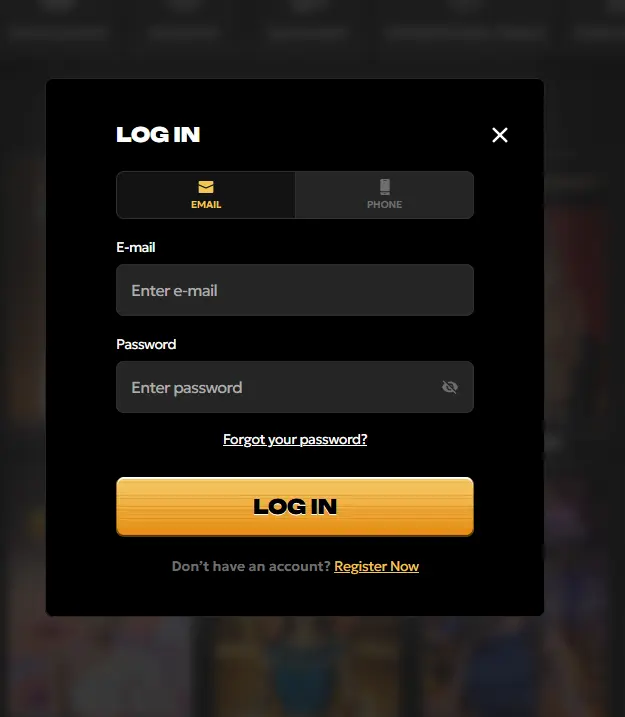
Signing in to Spinsy is a single process regardless of which device you use. Your account credentials are the same everywhere, and no additional software is required for the browser versions.
Open your preferred browser, navigate to spinsyslots.com, and click the Login button in the top-right corner of the homepage. Enter your registered email address and password, then click Sign In. If two-factor authentication is active on your account, you will be prompted to enter the code sent to your email or authenticator app before the session opens. Your game library, cashier, and loyalty points are immediately available once you are in.
The Spinsy website is fully responsive. On your iPhone or Android phone, open Safari, Chrome, or your default browser and go to spinsyslots.com. The login button appears in the same position as on desktop. Tap it, enter your email and password, and your account opens. All features available on desktop, including live dealer tables from Evolution Gaming and PayID deposits, function identically in the mobile browser.
Players who have downloaded the Spinsy app directly from spinsyslots.com can log in using their account credentials on the first launch. After that, biometric login is available: enable fingerprint or face recognition in the app’s security settings and subsequent sign-ins take one touch. The app does not appear on Google Play or the Apple App Store; it is installed from the official website only.
Spinsy currently supports standard email-and-password authentication for all players. Two-factor authentication is available as an optional security layer; once enabled in your account settings, a one-time code is required at each login in addition to your password. This second factor is delivered via email or a compatible authenticator app. There is no social login option; your Spinsy account is accessed only through the credentials you created during registration.
Protecting your account starts with password hygiene and extends to the security features Spinsy provides at the platform level.
Your password is stored in hashed form and is never visible to support staff. All communication between your device and our servers uses SSL encryption, so your credentials and financial data are not transmitted in plain text. Session tokens expire automatically after a period of inactivity, reducing exposure if you step away from an open browser tab.
For additional protection, the optional two-factor authentication layer means that even if your password were compromised, an attacker cannot access your account without the one-time code. You can activate, deactivate, or reconfigure two-factor authentication at any time from the security section of your account dashboard.
The most frequent login difficulties have straightforward fixes. If your password is not accepted, check that Caps Lock is off and that you are using the email address that was confirmed during registration, not a secondary address. Use the password reset link if you are unsure which password is current.
If your account has been temporarily locked after repeated failed attempts, the lock lifts automatically after 15 minutes. Alternatively, clicking the password reset link sends a new credential immediately and bypasses the lockout timer. If you have activated two-factor authentication and can no longer access the delivery address or authenticator app for your codes, contact our support team via live chat at any time, day or night. Support staff are available 24/7 and can assist with identity verification to restore access. Reach us by email at [email protected] if a written record of the interaction is useful. Do not contact support from unofficial channels or third-party websites claiming to represent Spinsy.
If the login page itself is not loading, clear your browser cache, try a different browser, or check your internet connection. The Spinsy website is available around the clock; any extended outage is announced on our official social media channels.
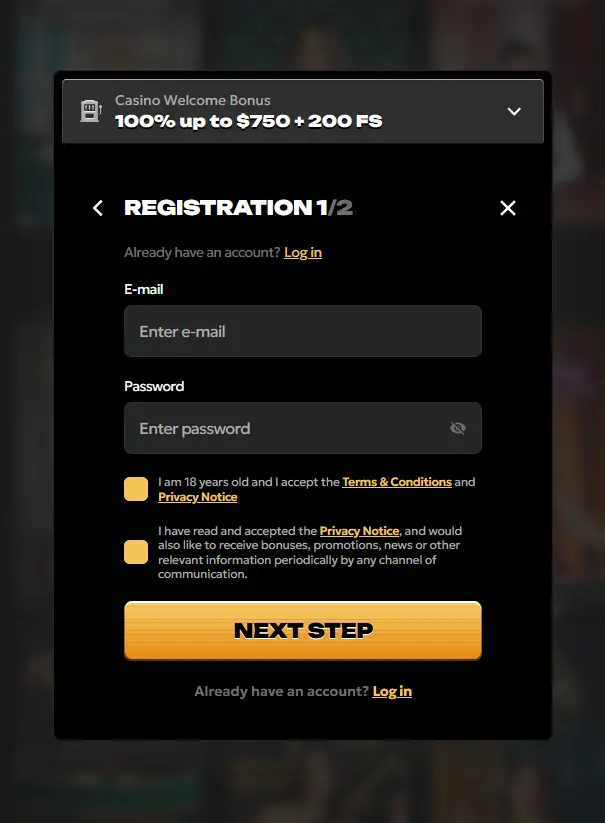
Registering with Spinsy takes a few minutes. You will need a valid email address, your date of birth, and a chosen password. Once you confirm your email, your account is active and ready to fund. Players must be 18 or older to register. The registration form is on the homepage at spinsyslots.com.
Login Questions Answered
Click 'Forgot Password' on the login screen, enter the email address linked to your Spinsy account, and follow the reset link sent to your inbox. The link expires after 24 hours.
For your security, the system temporarily locks an account after multiple incorrect password entries. Wait 15 minutes and try again, or use the password reset link to regain access immediately.
Yes, most mobile browsers support a 'Remember Me' option on the login form. For the Spinsy app downloaded from spinsyslots.com, you can enable fingerprint or face recognition for even faster access.
Log In and Start Playing
Grab 100% up to $500 and 200 free spins.
Play at Spinsy Play responsibly: gambling carries a risk of addiction. 18+ only. Bonus offers are subject to terms.